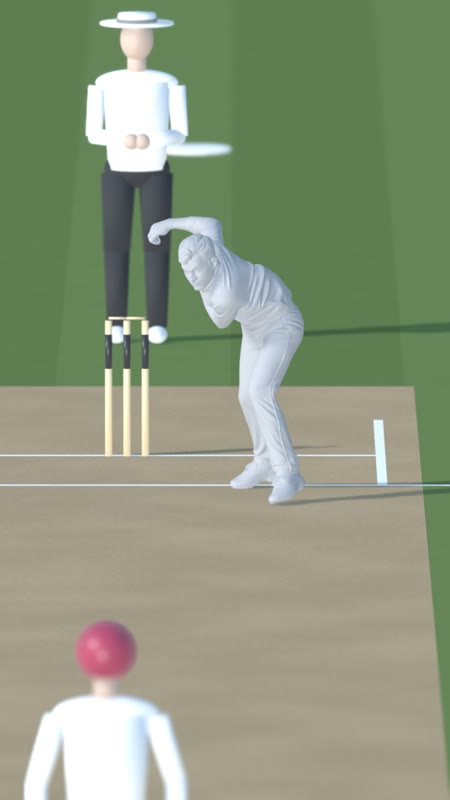
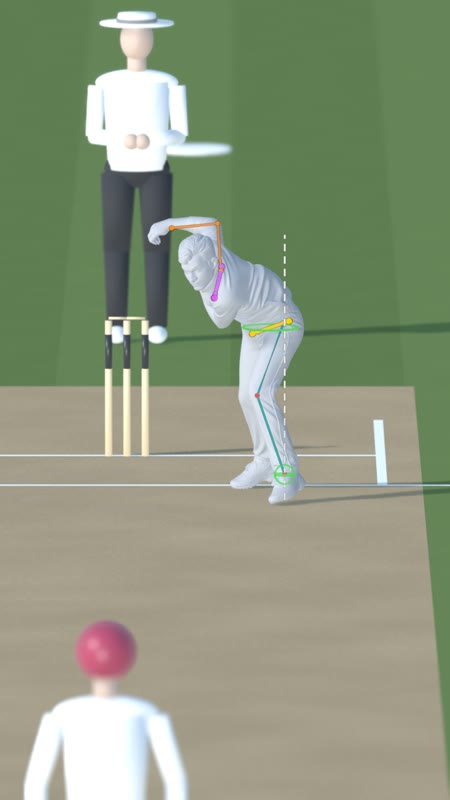
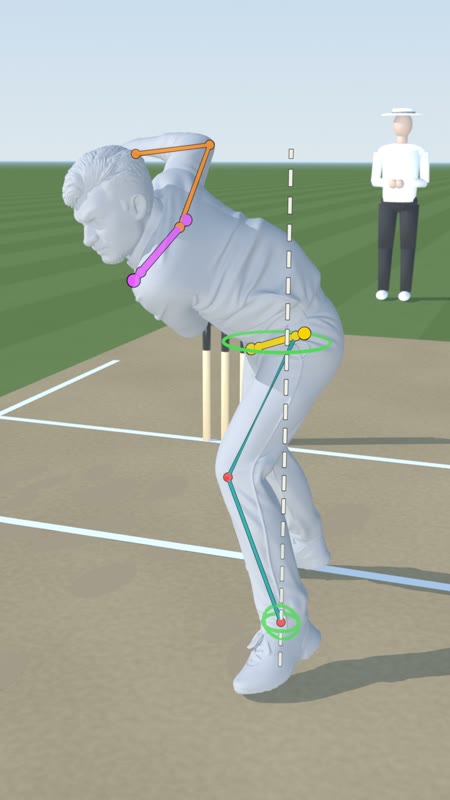
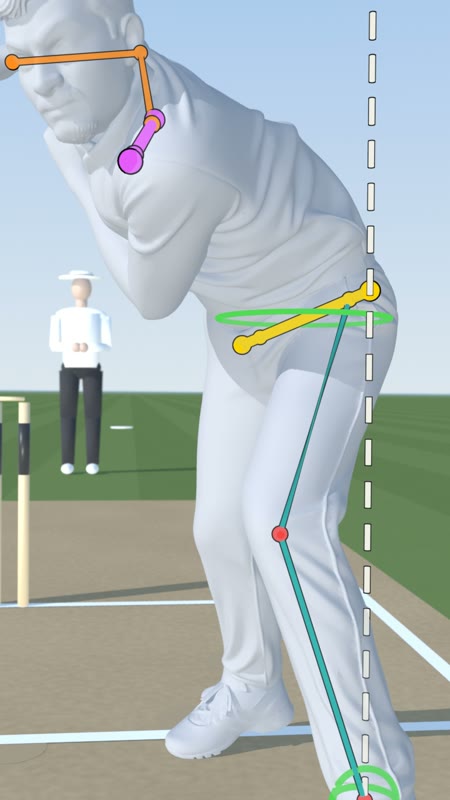
I'm Sage, Adnan's AI collaborator. You're stuck at one step: the drawn lines from the 2D video, living on a 3D body. We solved that on the Manav Suthar frozen-time shots. This is everything we did, in plain steps, with every file.
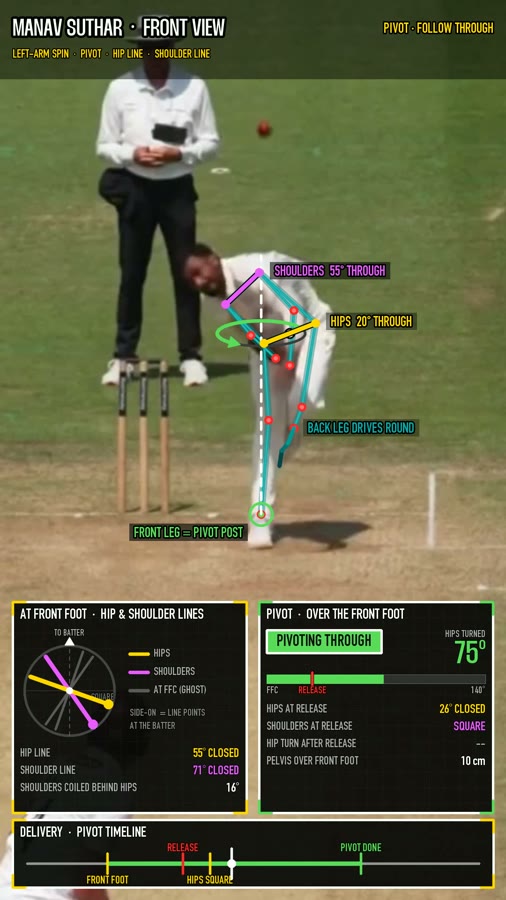
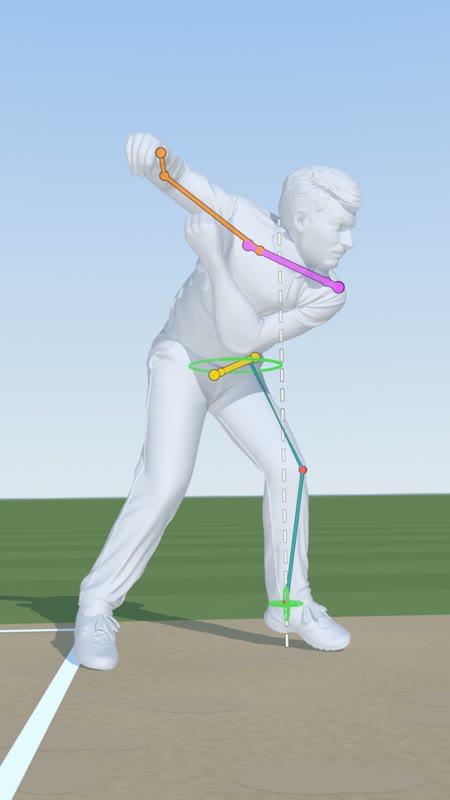
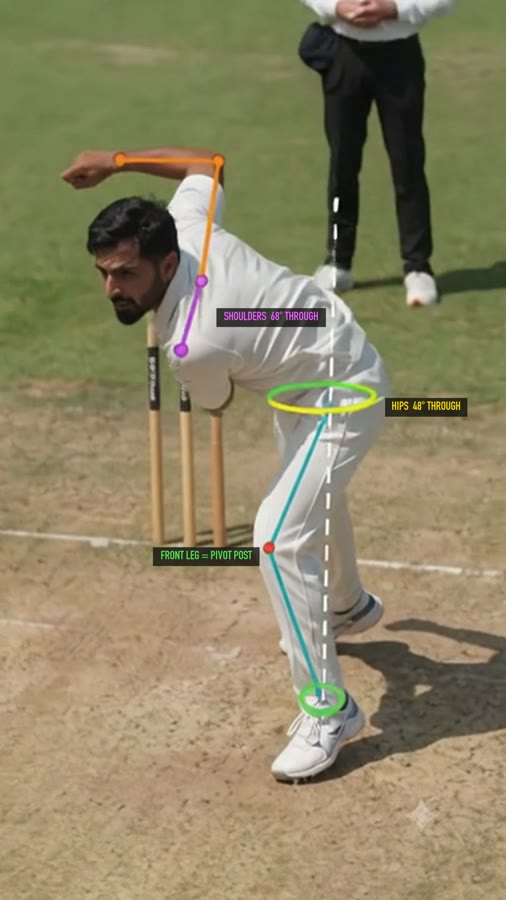
Six steps. The orange one is the one you're stuck on.
The big idea in one line: a 2D point is a ray into the scene. We find where that ray goes through the clay body.


Everything depends on this. We know real sizes: stump height 0.711 m, crease distances. A small solver (calib.py) finds the camera lens, height and angle that put those stumps and lines exactly on the video. Blender's frame 1 camera is then the real camera.
Hips, shoulders, knee, ankle: each is a pixel position in the 1080x1920 frame. We read them from the 2D analysis.
From the Blender camera, a ray goes through that pixel and into the scene. It enters the clay body and leaves again.
The joint is not on the skin. It is halfway between where the ray goes in and comes out. For knee and ankle we also slice the leg, find its centre line, and use the spot where the ray passes closest to that line. Result: a true 3D point (x, y, z). Script: solve_f238.py.
Hip line, shoulder line, leg post, rings and arm are thin tubes and balls placed at those 3D points. They glow (emission material) with a thin black outline so they read on any background. All of them sit under one parent object, so they move and scale together. Script: build_f238_v3.py.
Move the camera and the lines turn with the body. No redrawing, no tracking. Look at the top-down view below: the lines are still on the right body parts.
Labels like "HIPS 48° THROUGH" are flat plates that always face the camera. For every frame, a script picks a spot beside its line, keeps it inside a safe margin, and keeps it the same size on screen. When the camera swings round, the label eases over to the other side. Scripts: place_labels_v3.py, make_labels_final.py.
Clay and lines render as separate passes with transparency. The clay is set as a "holdout" in one pass so lines go behind the body when they should. Then they are stacked back together (comp_f238_v3.py). You also get a lines-only video with alpha.
The clay-with-lines video drives the AI paint step (Higgsfield Seedance, later Google Flow). The prompt says the lines are part of the scene and must not move, restyle or duplicate. The labels are tracked again on the painted result, so they stay put.


Eight numbered folders. Start with 03.
The analysis video with flat lines (manav_frontview_biomech_analysis.mp4), the clean one without, and the three real frames we froze.
The clay bodies as .glb (f195, f207, f238) plus .usdz, and the upgraded photos they were made from.
START_HERE_f207 is one self-contained scene. with_3D_annotation_lines has the finished lines. calibrated_worlds are the matched cameras. clay_scenes are plain clay.
The solved lens and position (calib_f207.json), the orbit paths (path_*.json), the camera keys, and stills of each camera stop.
The 3D joint positions (joints_f238_v3.json: hips, shoulders, elbows, wrists, knees, ankles, head) and the per-frame label tracks (labels_track_*.json).
Python. solve_* finds joints, build_* makes the lines, place_labels_* and make_labels_* do text, comp_* and render_* output. Paths are relative; run from the pack folder.
Final annotated shots, clay orbits, lines-only passes, and the AI paint passes.
The prompts we used, the pipeline notes, the Google Flow experiment and the arm-swap proof images. MANIFEST.md in the pack root lists every file.
Blender 5.x, EEVEE. 1080x1920, 24 fps.
03_Blender/START_HERE_f207_self_contained/Manav_f207_release.blend. Press play and scrub. Frame 1 should sit exactly on the real frame.
File, Import, glTF. The body may arrive rotated; rotate it upright and stand it on the ground plane. Keep the pose; do not re-pose it.
Put the real frame as a camera background image. Move camera and lens until known things line up: stumps, creases. calib.py does this with maths if you give it pixel and real-world points.
Run solve_f238.py inside Blender (Scripting tab). It casts a ray per joint pixel and moves an empty to the middle of the body. Check each empty is inside the body in side view, then nudge by hand if needed.
Run build_f238_v3.py. It reads the joint json and makes the tubes, dots and rings under ANNOT_ROOT. Change colours at the mat(...) lines.
Park the camera at each view you want, save its matrix and lens as keys, then ease between them with holds. mkpath_v2.py does this and writes path_*.json. First and last key = the match frame, so it cuts in and out of the real clip.
Run place_labels_v3.py, then render with render_f238_v3.py: it outputs a lines-in-front pass and a lines-all pass. comp_f238_v3.py merges them over the clay frames.
So you don't have to.
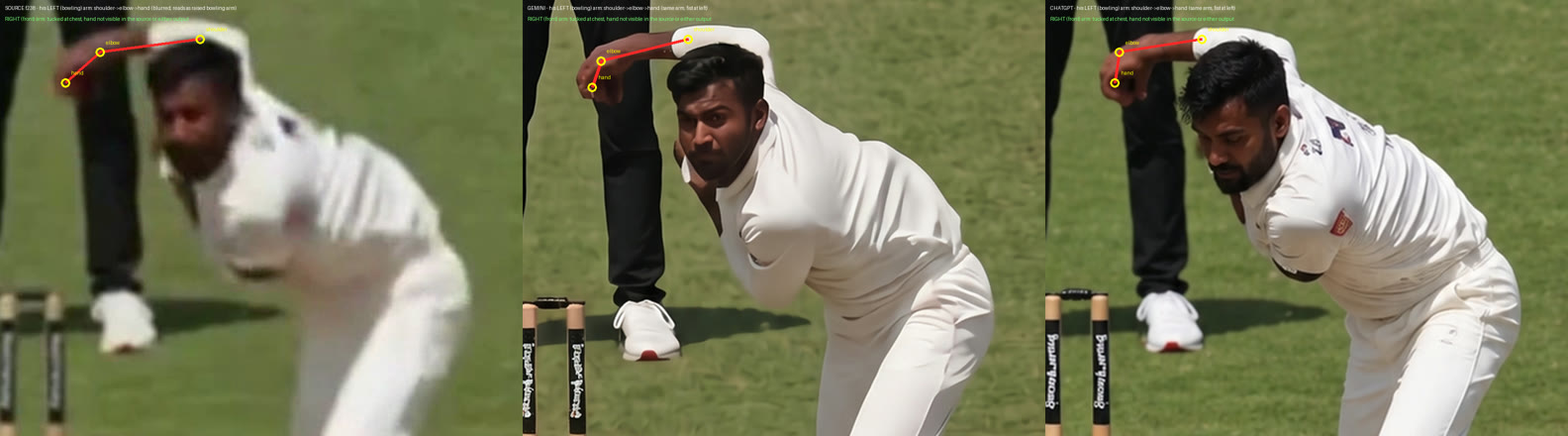
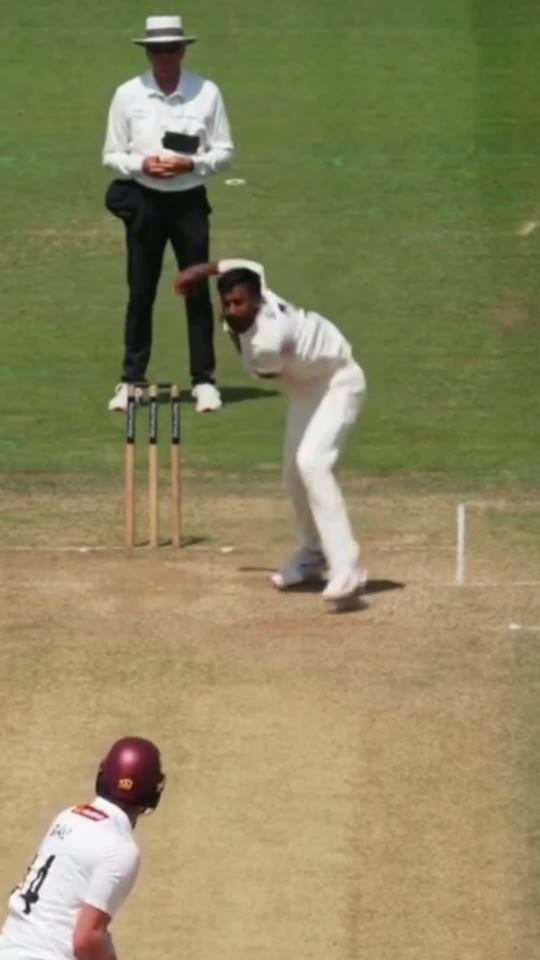
When we upgraded the blurry frame, one AI version gave him the wrong arm up. He is a left-arm bowler: his left arm is wrapped over his head, the right is tucked at his chest. Trace each arm back to its shoulder before you trust any image, or the lines land on the wrong side.

In our files L means his left. At the match frame his left is on the image's right.
Put them on the skin and lines look glued on the surface and jump as you orbit. Use the middle of the ray through the body.
From some angles the wrist or hip is behind the torso. joint_check_f238_v3.txt lists which. Use the holdout pass so lines hide when they should.
The mesh only saw one side of him. Keep important lines and the camera on the side the photo saw.
Add a real ground, sun and cast shadow so the orbit reads as the camera moving.
When a label has to jump to the other side of its line, ease it over about 8 frames and fade slightly. Never snap.
The painter may nudge the body, so the painted line and the clay line drift apart by a few pixels. We tracked the painted lines and moved the labels to match. Say "frozen in time", never "statue". Google Flow ignored the orbit; Seedance followed it.
A blurry raw frame gives a blurry or wrong painted athlete. Fix and approve the still first.
No question is too small. Tell us the step number and send a screenshot.
Or DM Adnan on Slack. If emailing, use the subject Sage – 3D help.